
The Santa Ana winds are back in the South Bay, Long Beach and LA. Gusty nights bring the occasional outage, and sometimes the utility shuts power off ahead of high winds. Most of the time it isn’t a long outage. It’s a blink: the lights flicker for a second and everything seems fine.
But a quick blink restarts the modem and router, and while they come back up, the WiFi is gone and the cameras go offline for a few minutes. If that happens while you’re away, you may not even know the cameras missed something until you go looking for a clip.
The good news is that a few simple steps keep most homes and small businesses online through the blinks and the short outages. Here are the five we check.
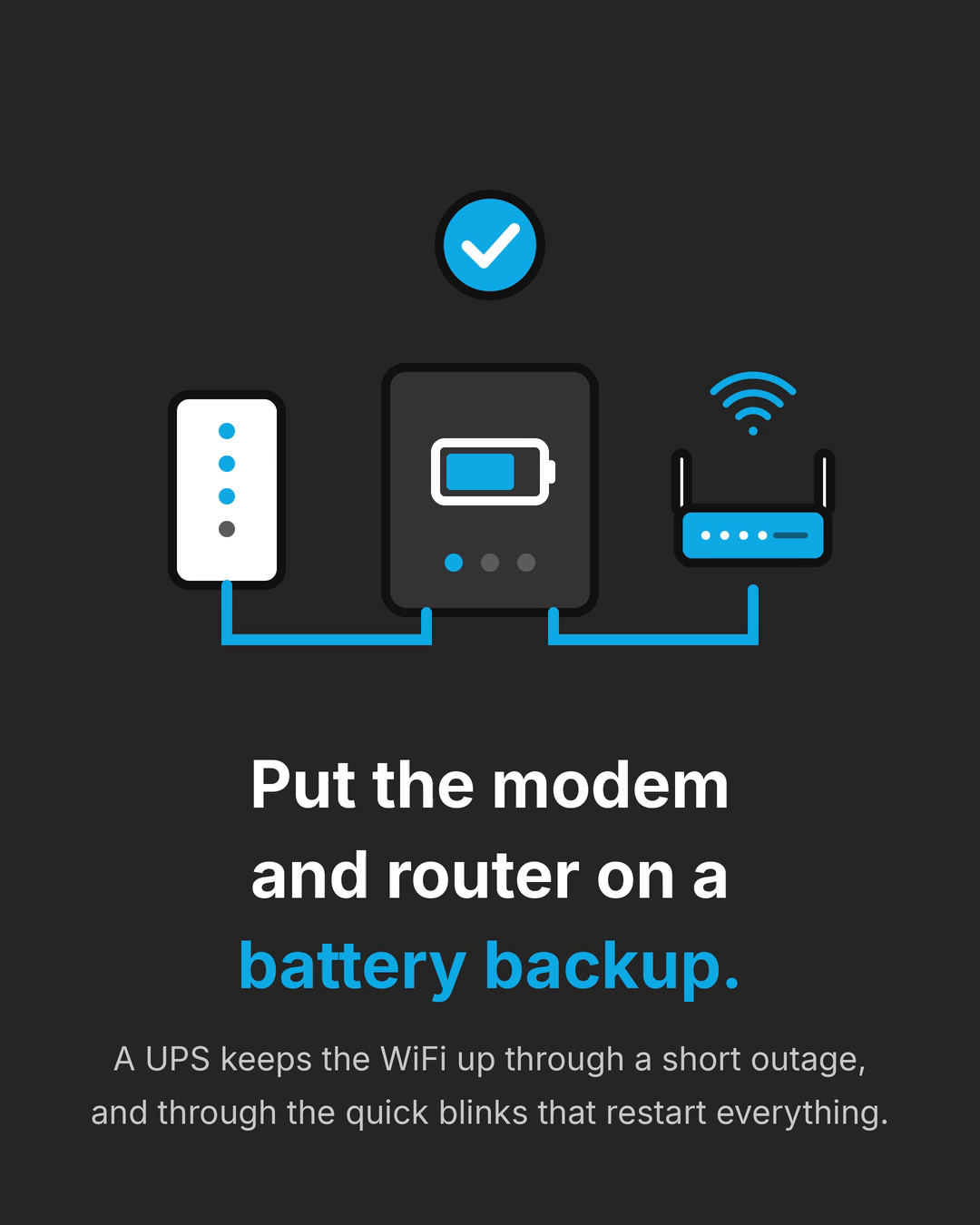
1. Put the modem and router on a battery backup
A battery backup, also called a UPS (uninterruptible power supply), sits between the wall outlet and your gear. When the power drops, it switches to battery right away, so the modem and router stay on instead of restarting.
That alone handles the most common problem: the quick blink that knocks everything offline. In a longer outage, it keeps the WiFi up for a while. How long depends on the battery size and how much is plugged into it. A small unit that only powers the modem and router lasts much longer than one that’s also running a computer.
If you have mesh WiFi, the main unit near the modem matters most. Units in other rooms only help if they have power too.
2. Wired cameras? Back up the recorder and its network switch
Wired cameras that record on-site send video down a cable to a recorder, usually an NVR, in a closet or cabinet. Many get their power over that same cable from a network switch (this is called PoE, power over Ethernet).
That means the cameras only keep recording while the recorder and the switch have power. If both are on a battery backup, the cameras keep recording through a blink and through a short outage, for as long as the battery lasts, even if the internet is down. You can check the footage later from the recorder or from your phone once you’re back online.
3. Cloud cameras need the WiFi and internet up
Cloud cameras, like Nest, connect over WiFi and save clips online. Some battery cameras and battery doorbells will stay on in an outage, but if the WiFi or the internet is down, their clips can’t upload.
So for cloud cameras, keeping the router up (check 1) is step one. Step two is making sure the internet itself stays up, which brings us to the next check. Plenty of homes and businesses have both kinds of cameras, so it’s worth knowing which ones you have and what each one needs.
4. Add a backup internet line
A battery backup keeps your equipment on, but it can’t help if the outage takes down your internet provider. That’s where a backup internet line comes in.
A cellular backup or Starlink can take over when your main internet drops, and many routers can switch over automatically. For a business that runs card readers, phones or cloud cameras, it can mean the day keeps going. For a home, it means the cameras keep saving clips and the WiFi still reaches the outside world.
We can quote backup internet for you and help you compare options, then set up the router so the switch happens on its own. Keep in mind that a Starlink dish or a cellular router needs power too, so plan for it on the battery backup.
5. Test it before the next windy night
Most battery backups have a test button. Press it, then check that the WiFi stays on, a phone can still load a page, and the cameras still show a live view. If your setup has a backup internet line, unplug the main internet line for a minute and make sure it switches over.
It’s also worth checking the battery itself. Many UPS units show a warning when the battery is getting old, and the batteries do wear out after a few years. A quick test now is much better than finding out during an outage.
Watch the 30-second version on YouTube
How we set it up
We plan the WiFi, security cameras and battery backup together, because they depend on each other. We look at where the modem, router and recorder live, what needs to stay on, and how long you’d like it to run, then size the battery backup to fit. If backup internet makes sense, we quote it and set up the switchover.
We keep installs clean: gear mounted or shelved neatly, cables labeled, and everything tested before we leave. When we’re done, you’ll know what’s on the battery backup, which cameras keep recording, and what happens when the power blinks.
Get ready before the next Santa Ana winds
If you’d like your WiFi and cameras to keep running when the power blinks, we can help across the South Bay, Long Beach and LA. Call or text (424) 218-9700 (Mon–Fri 9–5) or visit flume.co/contact.